FM/AM Broadcasting
WARNING: This page is about a different car, the 2019 Kia Soul EV. However, it is still accessible from the selected car via links, so may be relevant.
- Features/Misdiagnose cases
| Inspection |
Description |
| (1) System features |
- Last played channel will continue to play after IGN ON (Last memory)
- BSM (Best Station Memory) mode picks strongest radio reception
|
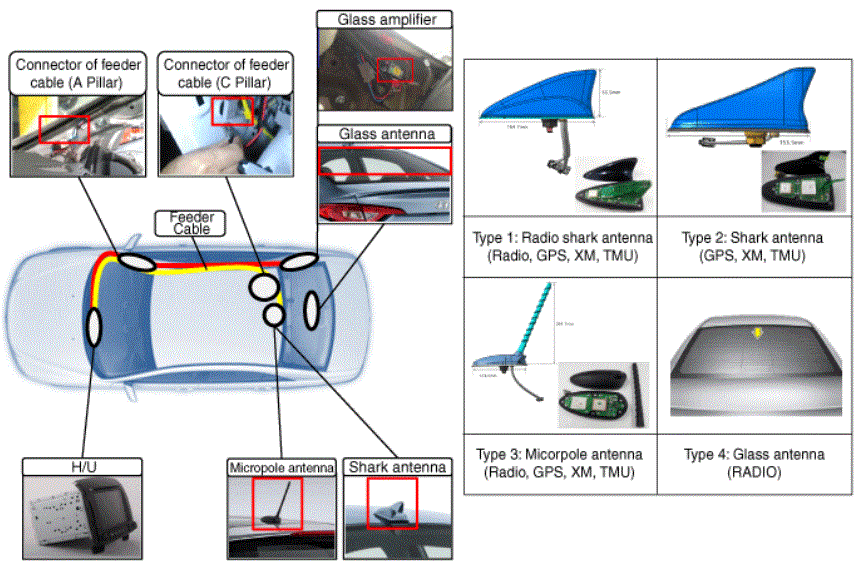
| (2) Vehicle Parts configuration (Radio antenna type and configuration) |
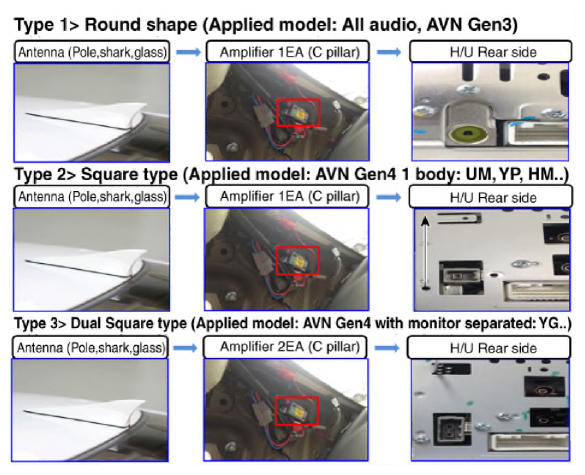 Courtesy of KIA MOTORS AMERICA, INC. Courtesy of KIA MOTORS AMERICA, INC.
|
| (3) Misdiagnose cases |
- Check battery drain and B/U voltage shutdown → Last played channel may change
- Poor reception area → Noise due to poor reception area (Not H/U defect)
- Vehicle modification noise → Remove any modification before testing
|
System features
* Vehicle parts
- When ACC On, last radio channel at ACC Off should be played (Last memory)
- When radio channel is automatically searched (Seek/Stop), radio broadcasting should be well received
 Courtesy of KIA MOTORS AMERICA, INC.
- Sirius XM Reception
| Inspection |
Description |
| (1) Duplicate issue |
- Audio output on other mode (CD, Media)
- If same issue occurs in different mode, check sound (Refer to "SOUND TROUBLE SHOOTING GUIDE ")
- Radio continues to play last played channel (frequency) before turning IGN off
- If last played channel is changed, check battery drain B/U voltage shutdown
→ Last played channel may change
- Radio channel (Frequency) issue when using Seek/Stop button?
- Part defect if Seek/Stop button fails to receive signal in a good reception environment (Antenna, H/U, feeder cable, etc.)
|
(2) External/Environmental Issue
- Poor reception area
- Black box
- Cable connection
|
- Move to better reception environment (Poor reception area)
- If this issue continues, proceed with step 2 below
Information
- Bad reception by circumstances
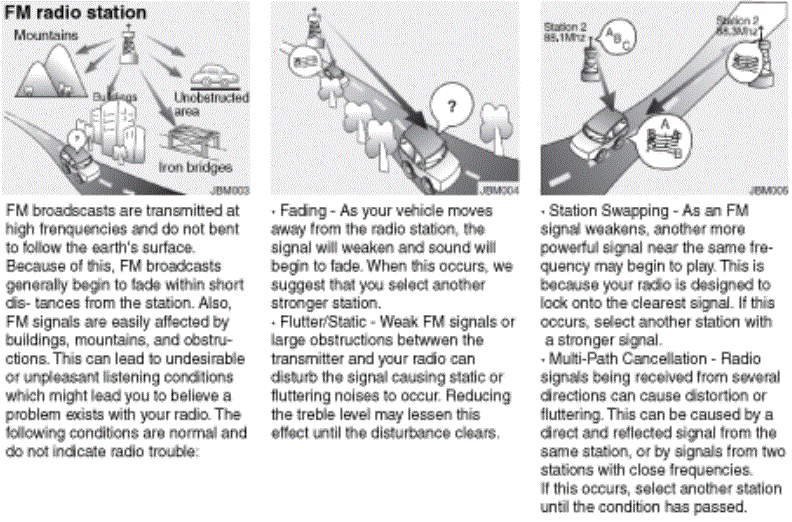 Courtesy of KIA MOTORS AMERICA, INC. Courtesy of KIA MOTORS AMERICA, INC.
- Black box (vehicle modification noise)
- Remove power on black box (Especially rear) and re-test
- Engineering mode > Care > Vehicle I/F Test/Radio (Confirm reception using different vehicles)
- Check reception on good reception environment: Normal if above 30db
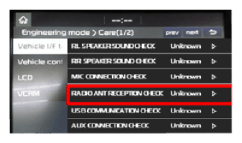 Courtesy of KIA MOTORS AMERICA, INC.KIA MOTORS AMERICA, INC. Courtesy of KIA MOTORS AMERICA, INC.KIA MOTORS AMERICA, INC.
|
(2) External/Environmental Issue
- Poor reception area
- Black box
- Cable connection
|
4. Check antenna cable and connection if the value for step 3 is below 30db
- Check antenna location and type
Information
- Examples of defect of antenna and cable
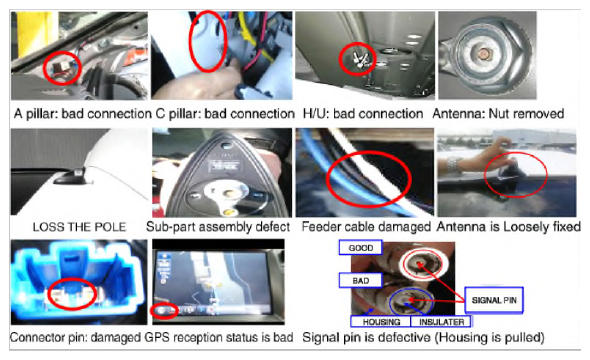 Courtesy of KIA MOTORS AMERICA, INC. Courtesy of KIA MOTORS AMERICA, INC.
|
| (3) Defect caused by Ext. parts |
- If antenna connection is good, replace antenna and feeder cable and re-test (Use certified antenna)
|
| (4) Check H/U defect |
- If this issue continues, replace H/U and re-test
|