No. 2 Additional Key Programming Procedure (Using the M-MDS): Procedure
WARNING: This page is about a different car, the 2009 Mazda 6. However, it is still accessible from the selected car via links, so may be relevant.
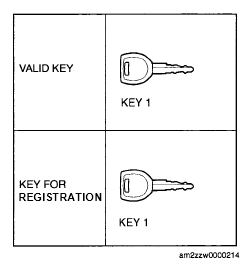 Courtesy of MAZDA MOTORS CORP.
 ADDITIONAL KEY PROGRAMMING PROCEDURE (USING M-MDS)
| Step |
Procedure |
Action after procedure |
| 1 |
PERFORM ADDITIONAL KEY PROGRAMMING
- Connect the M-MDS to the DLC-2 (See
M-MDS CONNECTING PROCEDURE )
- Switch the ignition to ON using key 1
NOTE:
- Although the security light starts flashing and DTC 15 is displayed after approx. 1 min
, this does not indicate an improper procedure. Continue to perform the procedure as indicated.
- After the vehicle is identified, select the following items from the initialization screen of the M-MDS.
- Using an IDS (laptop PC):
- Select "Body"
- Select "Security"
- Select "PATS Functions"
- Using a PDS (Pocket PC):
- Select "All Tests and Calibrations"
- Select "PATS Functions"
- Then, select an item from the screen menu.
item
- Program Additional Ignition Key
- Perform the security access according to the directions on the M-MDS screen.
NOTE:
- After executing the above menu, "This operation is successful" is displayed. This indicates that the programming of the key that currently has the ignition switched on is completed
- After verifying that the PATS function menu is displayed again on the M-MDS screen, switch the ignition off.
- Remove key 1.
- Are there other keys to be programmed?
|
Yes |
Change the key and repeat Step 1.
NOTE:
- Additional key programming can be performed using the procedure in No. 1 Additional Key Programming Procedure (Using Two Valid Keys).
|
| No |
Go to the next step. |
| 2 |
CLOSE THE M-MDS
- After verifying that the PATS function menu is displayed again on the M-MDS screen, select "Finish (this menu)"
- Switch the ignition to off.
|
Go to the next step. |
| 3 |
VERIFY THAT ANY KEY IS PROGRAMMED
Verify that the engine can be started with the programmed key.
NOTE:
- When verifying that the engine starts, wait at least 5 s or more
before starting the engine using the next key
|
Procedure is completed |