Current Data For AT
1. On the [Main Menu] display screen, select the {Each System Check} and press the [YES] key.2. On the [System Selection Menu] display screen, select the {Transmission Control System) and press the [YES] key.
3. Press the [YES] key after displayed the information of transmission type.
4. On the [Transmission Diagnosis] display screen, select the [Current Data Display & Save) and press the [YES] key.
5. On the Data Display Menu display screen, select the {Data Display} and press the [YES] key.
6. Using the scroll key, move the display screen up or down until the desired data is shown.
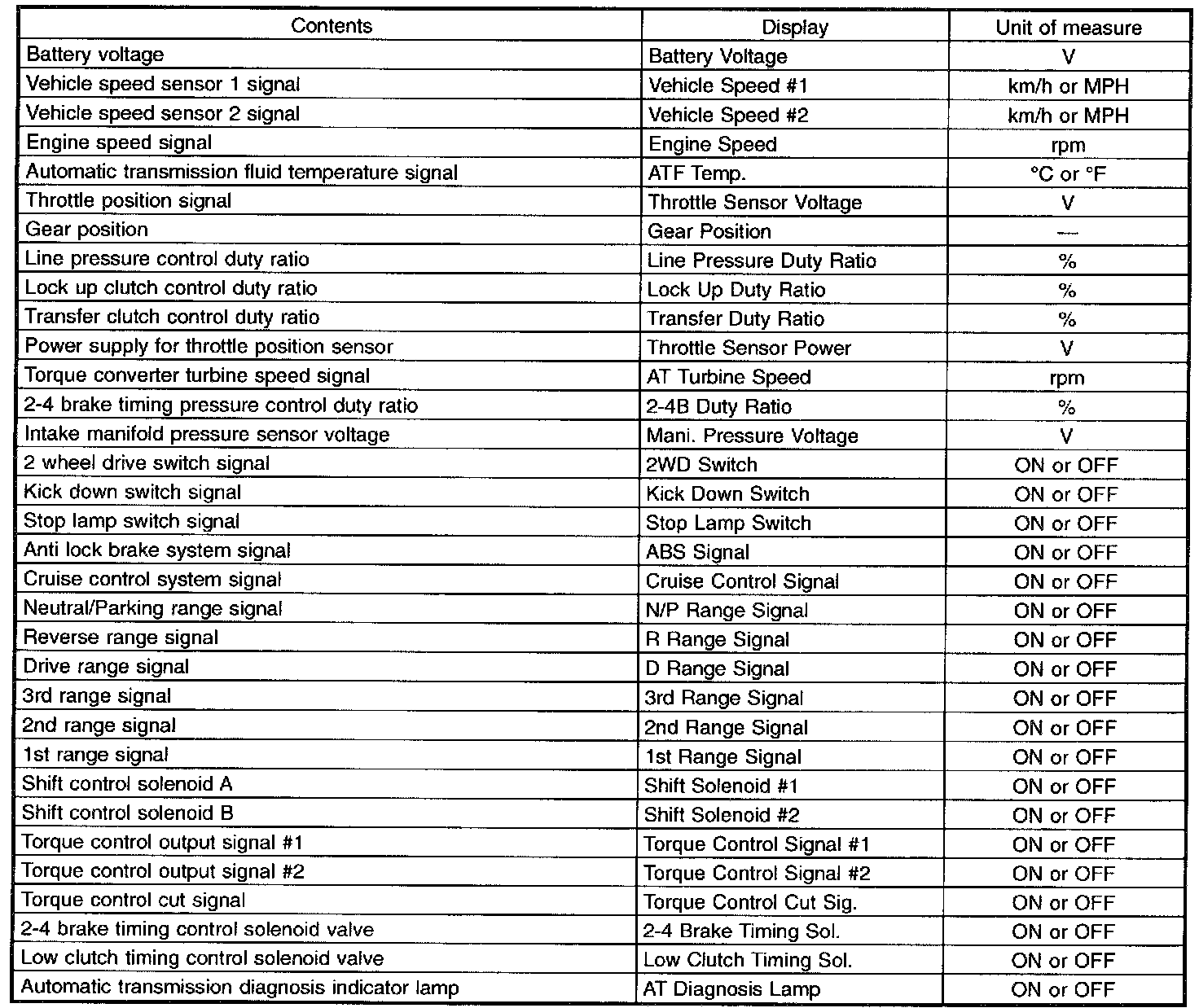
A list of the support data is shown in the table.
NOTE: For detailed operation procedure, Refer to the SUBARU SELECT MONITOR OPERATION MANUAL.