Wireless Door Lock Control System (w/ Smart Key System)
DOOR LOCK: WIRELESS DOOR LOCK CONTROL SYSTEM (w/ Smart Key System): CUSTOMIZE PARAMETERS
1. CUSTOMIZE WIRELESS DOOR LOCK CONTROL SYSTEM (w/ Smart Key System)
HINT
The following items can be customized.
NOTICE:
* When the customer requests a change in a function, first make sure that the function can be customized.
* Be sure to make a note of the current settings before customizing.
* When troubleshooting a function, first make sure that the function is set to the default setting.
(a) Customizing with the Techstream
(1) Connect the Techstream to the DLC3.
(2) Turn the engine switch on (IG).
(3) Turn the Techstream on.
(4) Enter the following menus: Customize Setting / Wireless Door Lock.
(5) Select the setting by referring to the table below.
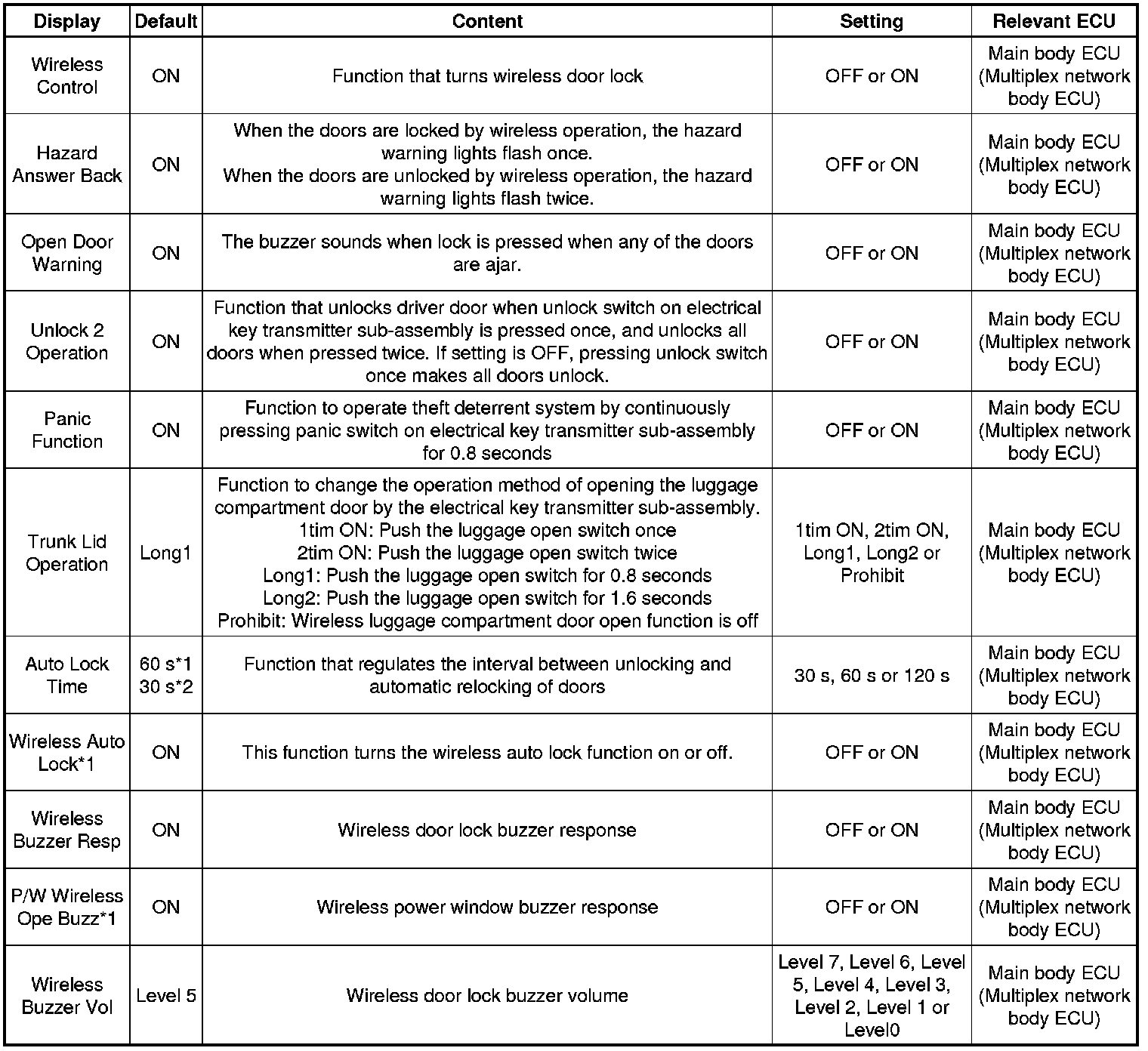
* *1: w/ Daytime Running Light Control
* *2: w/o Daytime Running Light Control
(b) Customizing with the multi-display (w/ Navigation System (for Navigation Receiver Type) or Audio and Visual System (for Radio and Display Type and with Intuitive Parking Assist System))
(1) Turn the engine switch on (IG).
(2) Enter the following menus: SET UP/ Vehicle / Vehicle Customization / Door Lock Settings.
(3) Select the setting by referring to the table below.
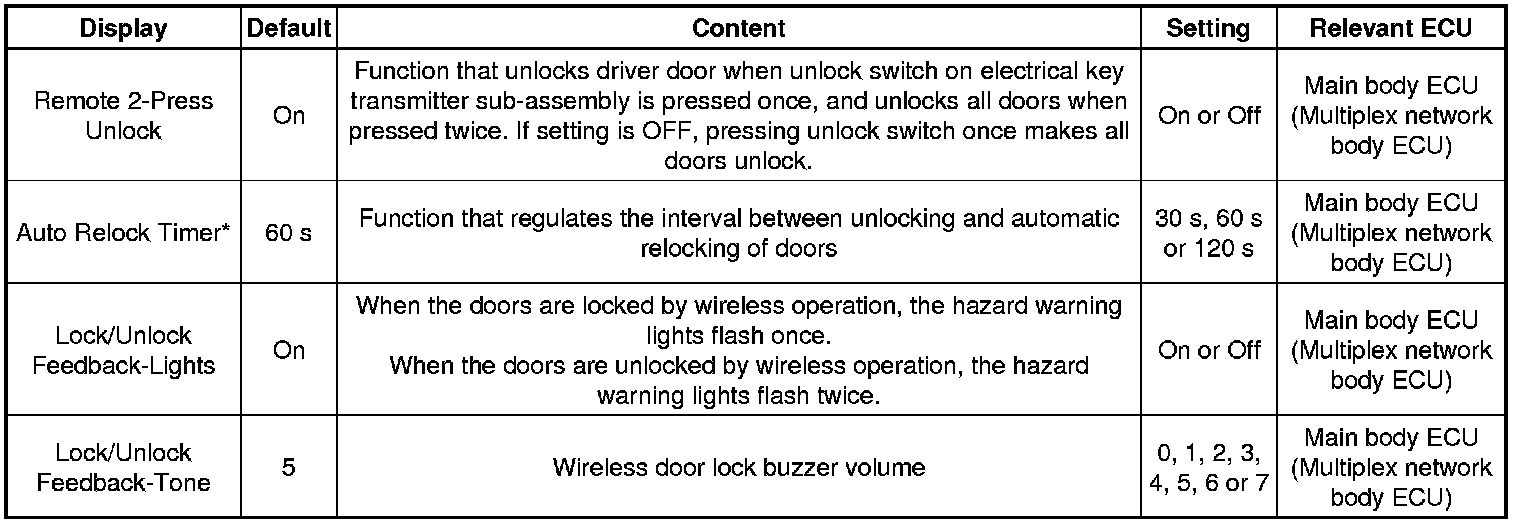
* *: w/ Daytime Running Light Control
(c) Customizing with the multi-display (w/ Navigation System (for Radio and Display Type) or w/ Audio and Visual System (for Radio and Display Type and without Intuitive Parking Assist System))
(1) Turn the engine switch on (IG).
(2) Enter the following menus: SET UP / Vehicle.
(3) Select the setting by referring to the table below.
