No. 1 Additional Key Programming Procedure (Using the M-MDS): Procedure
WARNING: This page is about a different car, the 2009 Mazda 6. However, it is still accessible from the selected car via links, so may be relevant.
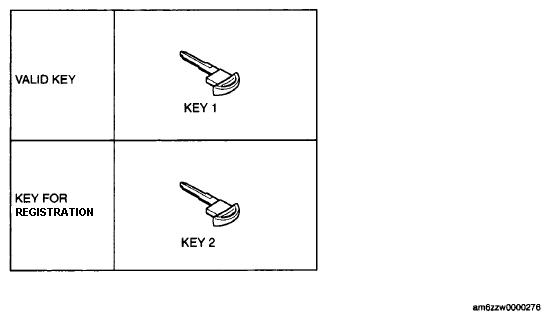 Courtesy of MAZDA MOTORS CORP.
| Step |
Procedure |
Action after procedure |
| 1 |
VERIFY THAT KEY 1 ARE VALID
- Start the engine using key 1.
CAUTION:
- Do not place the advanced key in the vehicle when starting the engine with key 1.
- Verify that the security light illuminates for approx. 3 s
, and then turns off.
- Switch the ignition off.
|
Go to the next step. |
| 2 |
PERFORM ADDITIONAL KEY PROGRAMMING
- Connect the M-MDS to the DLC-2.
(See
M-MDS CONNECTING PROCEDURE )
- Insert key 1 into the key slot and depress the clutch.
NOTE:
- The keyless indicator light (green) illuminates for approx. 5 s, then turns off.
- After verifying that the keyless indicator light (green) has illuminated, release the clutch within approx 5 s and switch the ignition from off→ACC→ON.
- Pull out key 1 from the key slot and insert key 2 into the slot.
NOTE:
- When key 1 is pulled out of the key slot, the advanced key system warning alarm sounds and the keyless indicator light (red) begins flashing, however continue with the procedure.
- After the vehicle is identified, select the following items from the initialization screen of the M-MDS.
- Using an IDS (laptop PC):
- Select "Body"
- Select "Security"
- Select "PATS Functions"
- Using a PDS (Pocket PC):
- Select "All Tests and Calibrations"
- Select "PATS Functions"
- Then, select an item from the screen menu.
Item
- Program Additional Ignition Key
- Perform the security access according to the directions on the M-MDS screen.
NOTE:
- After executing the above menu, "This operation is successful" is displayed. This indicates that the programming of the key that currently has the ignition switched on is completed.
- If an additional key is to be programmed, continue to perform the procedure according to the directions on the M-MDS screen. To finish the key programming, go to the next step.
|
Yes |
Change the key and repeat Step 2. |
| No |
Go to the next step. |
| 3 |
CLOSE THE M-MDS
- After verifying that the PATS function menu is displayed again on the M-MDS screen, select "Finish (this menu)"
- Switch the ignition off
|
Go to the next step. |
| 4 |
VERIFY THAT ANY KEY IS PROGRAMMED
Verify that the engine can be started with the programmed key
NOTE:
- When verifying that the engine starts, wait at least approx. 5 s or more
before starting the engine using the next key.
|
Procedure is completed |